To move your GlucoLive data to a new iPhone, make a backup on the old phone (Settings › My Data › Back up for another phone), send the file to yourself and open it on the new phone with Restore from a backup. Since version 5.0, the backup brings the glucose history, diary and lab reports saved in GlucoLive, protected by a password only you know.
Your current FreeStyle Libre readings don't need a backup: they come back as soon as you sign in to LibreLinkUp on the new iPhone. The backup is for transferring what GlucoLive saved over time on the old phone.
You need a backup because GlucoLive keeps your history on your iPhone, not on our server. That's good for your privacy, and it means the move is in your hands.
Where does GlucoLive keep my glucose data?
Your glucose history, diary and lab reports are stored on your iPhone. As our privacy policy explains, your LibreLinkUp password stays in the iOS Keychain and never leaves the device.
Our server only holds what it needs to update your screens with the app closed: your readings from the last few hours and one summary per day, for up to 90 days, for your report. It doesn't keep your full history, so it can't hand it to a new phone. The backup file can.
How do I make the backup on my old iPhone?
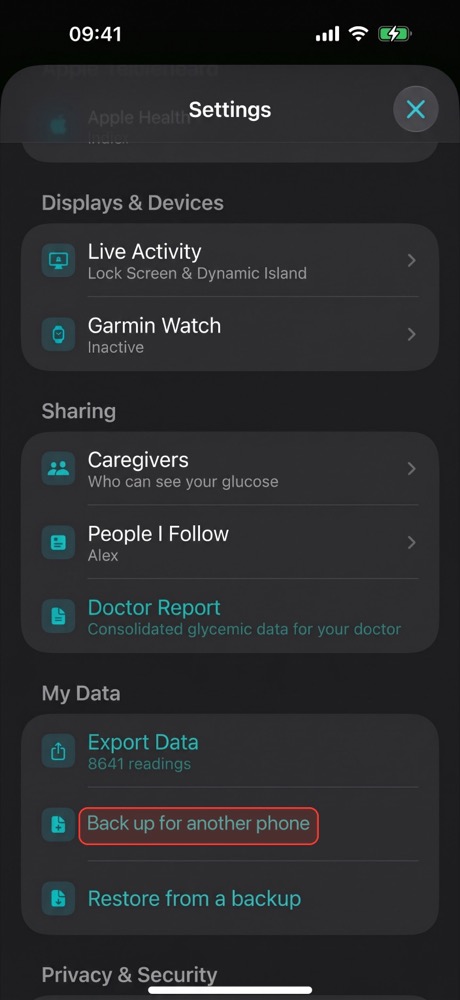
Open GlucoLive on the old iPhone, go to Settings › My Data and tap Back up for another phone. Create a password, then send the file to yourself. In the screenshots, a red outline marks where to tap.
- Open Settings › My Data and tap Back up for another phone.
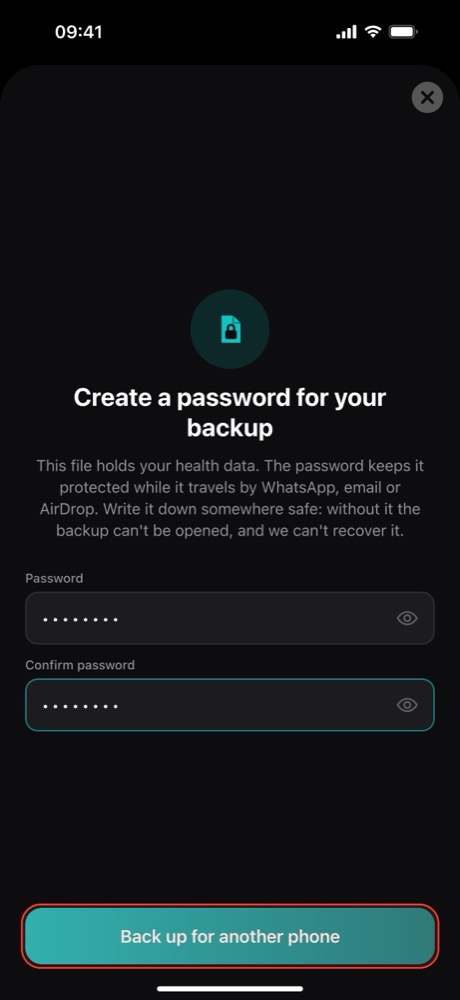
- Create a password of at least 6 characters, type it twice and tap Back up for another phone. Write it down somewhere safe: without it the backup can't be opened, and we can't recover it.
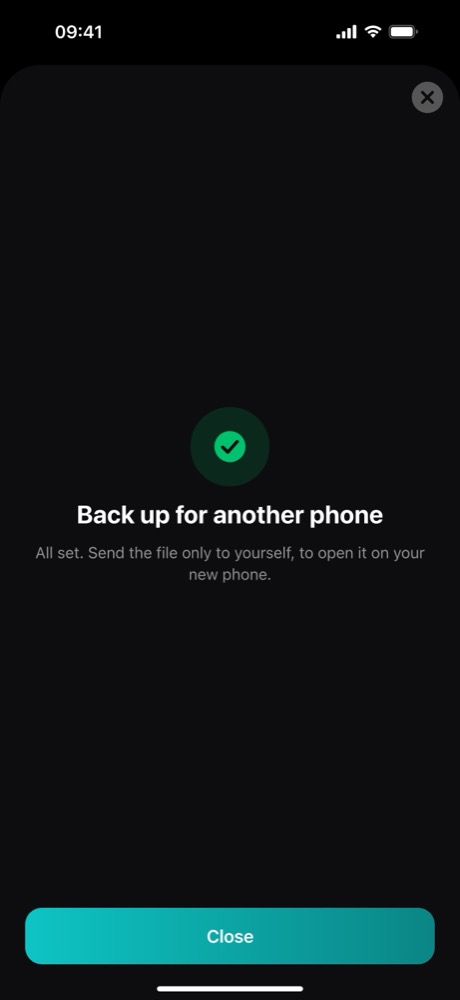
- Send the file to yourself. GlucoLive opens the iPhone share sheet with a file named like
GlucoLive-backup-2026-11-18.glucolive. AirDrop it to your new iPhone, save it to Files or send it to yourself by email or WhatsApp. The app's own advice: "Send the file only to yourself, to open it on your new phone."
The Settings screen is a real screenshot. The other screens in this guide are illustrations of GlucoLive 5.0, drawn with the app's exact words.
How do I restore it on the new iPhone?
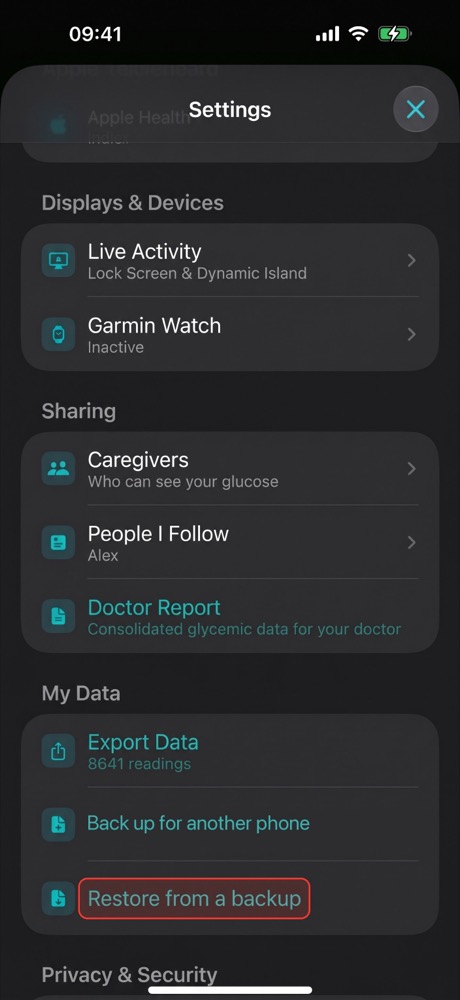
Install GlucoLive on the new iPhone and open the backup file, or tap Restore from a backup. Type the password you created and your data comes back.
- Open the file. Tap it in AirDrop, Files, Mail or WhatsApp and choose to open it in GlucoLive. Or, on the welcome screen, tap Used GlucoLive before? Restore from a backup. If you've already set up the app, go to Settings › My Data › Restore from a backup.
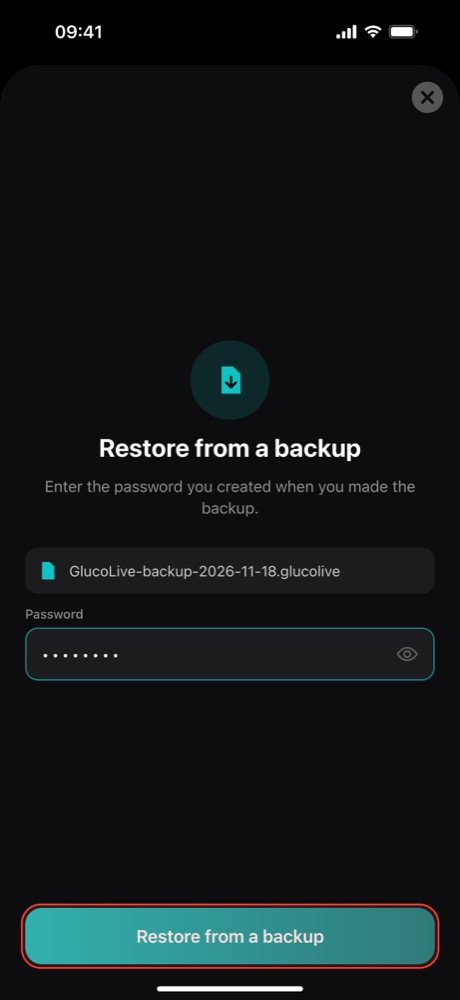
- Type the backup password and tap Restore from a backup. The file name shows above the field, so you know you're opening the right one.
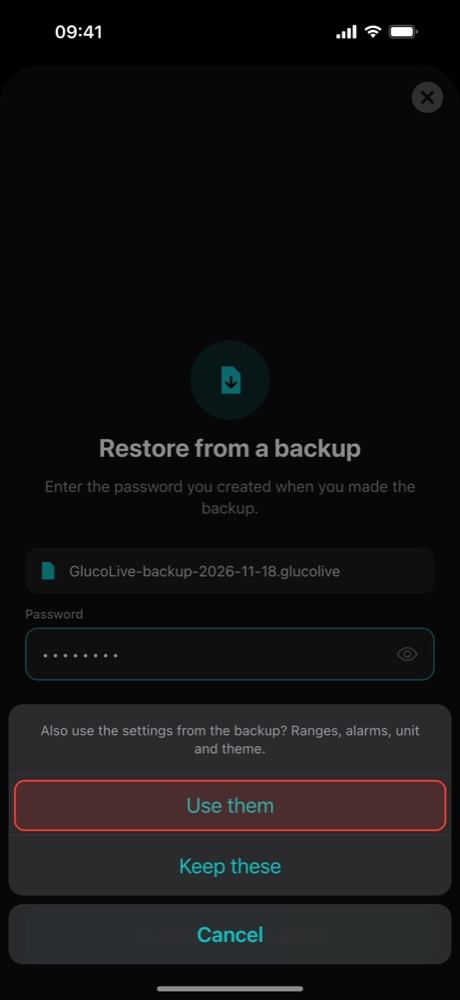
- Choose your settings. GlucoLive asks: "Also use the settings from the backup? Ranges, alarms, unit and theme." Tap Use them to bring them, or Keep these to keep the new phone's.
- Done. GlucoLive tells you what came back, for example: "Your data is here. We brought back 90 days of glucose, your diary and 3 lab reports."
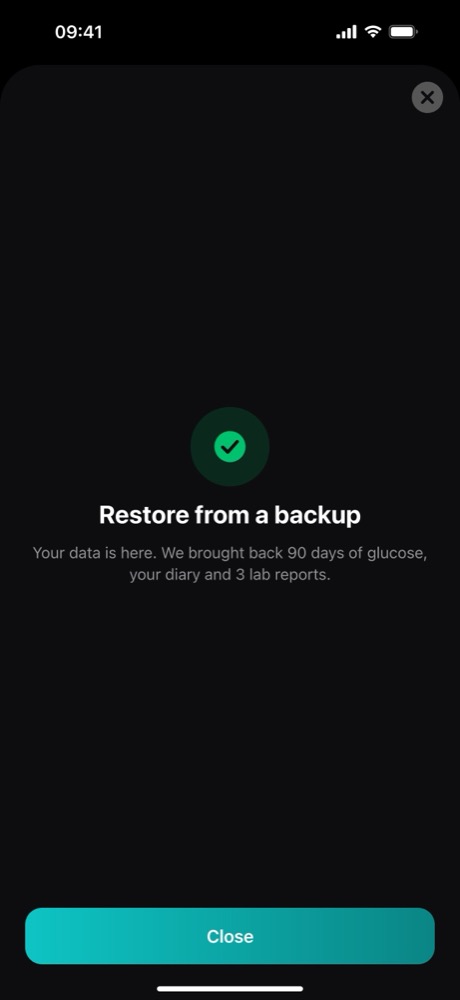
Restoring adds the backup to what's already on the phone, without duplicating or deleting anything. Then sign in to LibreLinkUp again, as the next section explains.
What comes with the backup, and what doesn't?
The backup brings what only lives on your phone: your glucose history, your diary and your lab reports. Passwords and anything tied to your account stay out of the file on purpose.
| Comes with the backup | Stays out of the file |
|---|---|
| Glucose history saved in GlucoLive | Your LibreLinkUp password and session |
| Diary: manual insulin and meals | Your Nightscout token (the address comes) |
| Lab reports, with their PDFs | Your subscription (it's linked to your Apple Account) |
| Optional: ranges, alarms, unit and theme | Your name, email and country |
Leaving passwords out means a file that ends up in the wrong place can't be used to sign in to your accounts.
Is it safe to send the backup by WhatsApp or email?
Yes. The file is encrypted with your password, so whoever gets it without the password sees nothing they can read. In the app's words, the password "keeps it protected while it travels by WhatsApp, email or AirDrop."
For the technically curious: GlucoLive uses AES-256-GCM encryption, with a key derived from your password by PBKDF2-HMAC-SHA256 with 600,000 iterations. We never see the password and can't recover it, which is exactly why you should write it down.
Do I need to sign in to LibreLinkUp again?
Yes. Your LibreLinkUp password never goes into the backup, so on the new iPhone you sign in with your LibreLinkUp email and password, as you did the first time. Our guide to connecting FreeStyle Libre shows each step.
Once you're signed in, your current readings come back to the iPhone, Lock Screen, Apple Watch and Garmin. Abbott's LibreLinkUp FAQ says the same about its own app: if you sign in to the same account, you see your connections' glucose data in the new installation.
What happens to my FreeStyle Libre sensor?
Nothing changes in GlucoLive: it reads from your LibreLinkUp account, not from the sensor. The sensor itself is handled by Abbott's app on the wearer's phone.
The LibreLinkUp FAQ notes that the sensor communicates with the reader or the FreeStyle LibreLink app that started it. If you're also moving Abbott's app to the new phone, check Abbott's instructions for your sensor.
What else do people ask about moving to a new iPhone?
The most common questions are about iCloud, cost, the forgotten password and the old phone. Here are the short answers.
Doesn't my iPhone's iCloud backup or Quick Start bring it?
It may come along with your other apps, but we haven't confirmed it for GlucoLive yet. The GlucoLive backup works however you set up the new iPhone, so it's the safe way.
Is the backup free?
Yes. Backup and restore are free for everyone, with or without Pro, because your data is yours to take with you.
What if I forget the backup password?
Then that file can't be opened, by you or by us. If you still have the old iPhone, make a new backup with a new password.
Can I delete GlucoLive from the old iPhone afterwards?
Yes, once the new iPhone shows "Your data is here". Deleting the app removes the data stored on that phone, so check the new one first.
Does GlucoLive replace my sensor's app?
No. GlucoLive shows your glucose on more screens, but it doesn't replace your sensor's official app or your care team's guidance, and it doesn't recommend doses.
See your glucose on every screen
Download GlucoLive and get 15 days of Pro, with no card and no automatic charge.
Download on the App Store Android: coming soonGlucoLive is for informational monitoring. It does not replace your sensor's official app, certified devices or your care team's guidance, and it does not recommend doses or treatment. GlucoLive is not affiliated with Abbott or Nightscout.
More articles
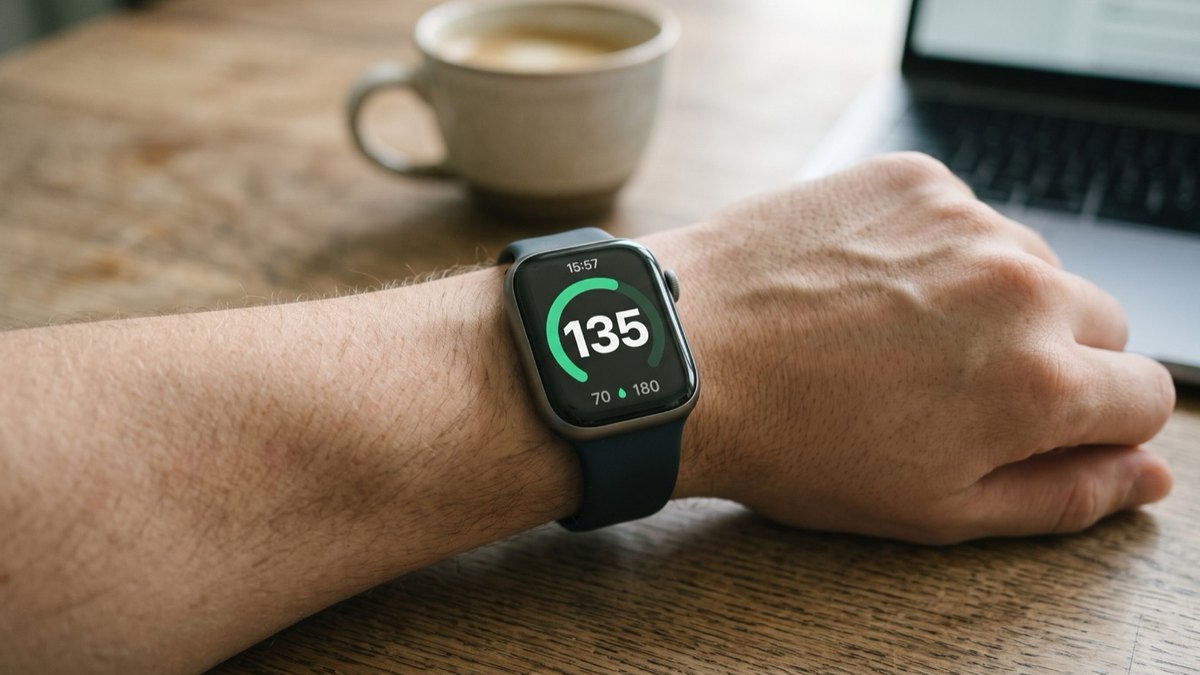 Apple Watch
How to see FreeStyle Libre glucose on Apple Watch
See your Libre reading every time you raise your wrist, on your watch face and in the watch app. Four steps.
 Lock Screen
FreeStyle Libre on the iPhone Lock Screen: widget, Live Activity and StandBy
A Lock Screen widget, a Live Activity, the Dynamic Island and StandBy at night. Step by step for each one.
 CarPlay
FreeStyle Libre on CarPlay: see your glucose on the car screen
The GlucoLive app, a dashboard widget and the Live Activity next to your map. Set up in three steps.